


Download Adobe InDesign – Professional Layout, Publishing, and Design Tool
Overview
Adobe InDesign has become the benchmark for professional page‑layout and desktop publishing. Whether you are a freelance graphic designer, a marketing team member, or a publishing house looking to streamline production, InDesign delivers a fully‑featured environment that balances creative freedom with precise control. From simple flyers and business cards to multi‑chapter eBooks, interactive PDFs, and complex catalogues, the software lets you design for both print and digital platforms without switching applications.
The latest release introduces a simplified object‑selection mode, making it easier to manipulate groups of items, and deep integration with Adobe Creative Cloud Review, so feedback loops with clients and colleagues happen in real time. While the learning curve mirrors that of other Adobe Creative Cloud apps, the familiar interface and extensive documentation reduce the time needed to become proficient. InDesign also supports modern publishing standards such as EPUB fixed‑layout, color‑swatch folders for brand consistency, and enhanced effects that add depth to any design.
By offering a single hub for typography, graphics, and interactivity, Adobe InDesign empowers users to turn ideas into polished, production‑ready assets that meet the exacting standards of today’s multi‑channel market.
Key Features of Adobe InDesign
- Advanced Typography Controls: OpenType, glyph substitution, kerning, tracking, and baseline grids for pixel‑perfect text.
- Interactive Media Integration: Embed video, audio, and animation, then export as interactive PDF or SWF.
- Seamless Adobe Creative Cloud Workflow: Direct links to Photoshop, Illustrator, and Adobe Stock, plus real‑time review via Adobe CC Review.
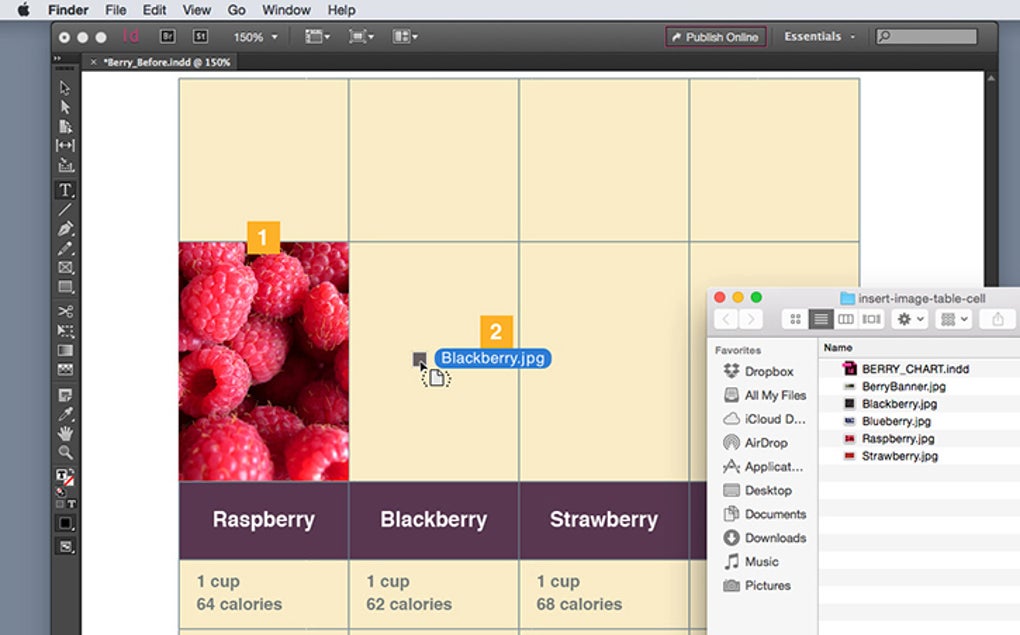
- Table Management Enhancements: Drag‑and‑drop rows and columns, auto‑fit, and style tables with master formats.
- EPUB Fixed‑Layout Export: Produce eBooks that retain exact page design across e‑readers.
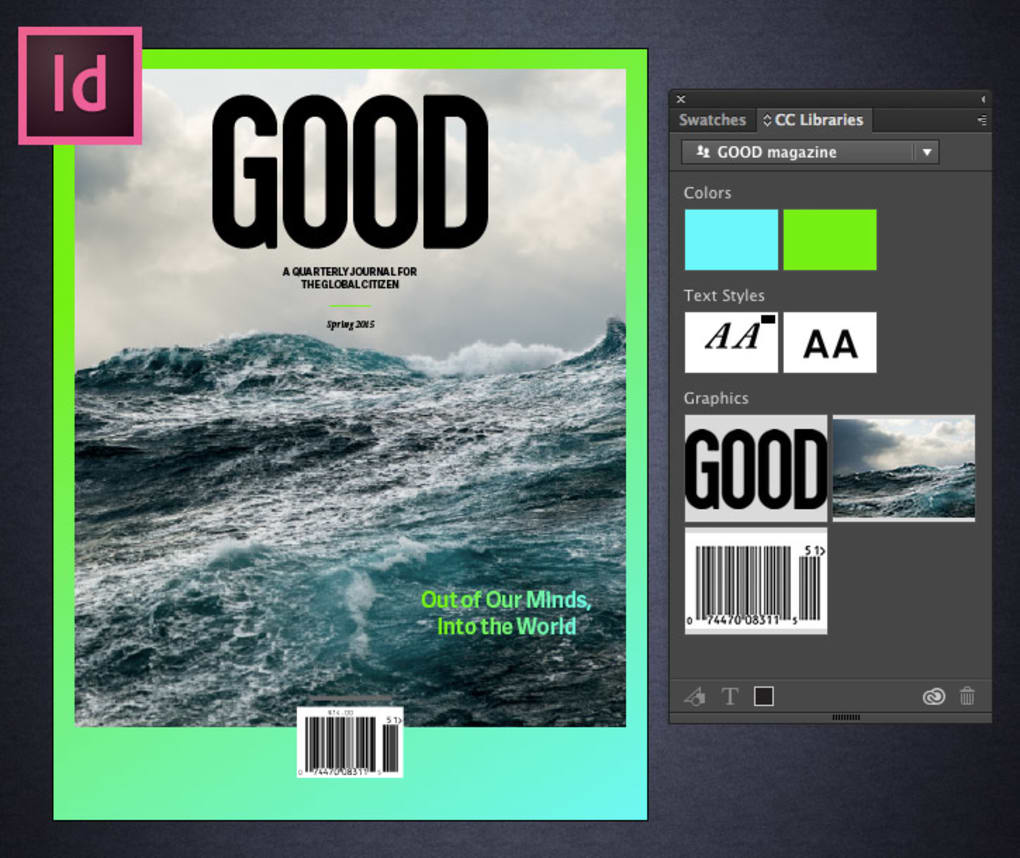
- Color Swatch Folders: Organize brand palettes, apply globally, and update instantly across the document.
- Object Selection Simplification: One‑click group selection, smart guides, and alignment tools to speed up layout adjustments.
- Content‑Aware Fit: Automatic resizing of images to fit frames without distortion.
- Enhanced Effects Library: Drop shadows, bevels, and transparency settings with live preview.
- Automation via Scripts: Support for JavaScript, AppleScript, and VBScript to automate repetitive tasks.
Installation, Setup & Everyday Usage
Getting started with Adobe InDesign is straightforward, especially if you already have an Adobe Creative Cloud subscription. First, visit the official Adobe website and sign in with your Adobe ID. Navigate to the “Apps” tab, locate InDesign, and click “Download.” The installer automatically detects your operating system—Windows 10/11 or macOS 11‑13—and configures the appropriate binaries. Once the download completes, run the installer and follow the on‑screen prompts; the process typically takes 5‑10 minutes depending on your connection speed. After installation, launch InDesign and log in with your Adobe credentials to activate the license.
The initial workspace can be customized through the “Workspace” dropdown in the upper‑right corner. For beginners, the “Essentials” workspace presents a clean set of panels: Pages, Layers, Swatches, and Tools. Power users may switch to “Advanced” to reveal additional panels like Glyphs, Story, and Content Collector. Creating a new document is as simple as selecting “File → New → Document” and entering dimensions, bleed, and margin values. The new document dialog also offers preset templates for brochures, magazines, and eBooks, which speeds up the setup phase.
Daily workflow revolves around placing assets (File → Place), applying paragraph and character styles, and arranging objects on the master pages for consistent headers and footers. InDesign’s “Preflight” panel continuously checks for missing links, overset text, and color inconsistencies, alerting you before export. When you’re ready to share, choose “Export” and pick PDF (Interactive or Print), EPUB, or even HTML. The export settings preserve interactive elements such as embedded video, hyperlinks, and form fields, ensuring that the final file behaves exactly as designed. For teams, the “Share for Review” feature generates a cloud link that stakeholders can comment on directly, eliminating endless email revisions.
Compatibility, Pros & Cons
Adobe InDesign runs natively on Windows 10, Windows 11, macOS 11 (Big Sur) through macOS 13 (Ventura). The application is also available as part of the Adobe Creative Cloud subscription, which means you receive automatic updates and cloud‑based asset syncing across devices. While there is no official Linux version, many professionals run InDesign through a virtual machine or compatibility layer, but performance may vary.
Pros
- Industry‑standard for print and digital publishing, ensuring file compatibility with printers and e‑readers.
- Deep integration with the Adobe ecosystem streamlines asset transfer from Photoshop and Illustrator.
- Robust typography engine that satisfies the most demanding typographic requirements.
- Extensive library of templates, scripts, and third‑party plugins to extend functionality.
- Regular updates via Creative Cloud keep the software secure and feature‑rich.
- Powerful preflight and export options reduce the risk of production errors.
Cons
- Subscription‑only pricing can be costly for freelancers or small studios on a tight budget.
- Steep learning curve for users new to Adobe’s interface and terminology.
- High system requirements; older machines may experience lag with large, image‑heavy documents.
- Limited native support for Linux, requiring workarounds for non‑Windows/macOS users.
- Some advanced interactive features (e.g., SWF export) are becoming less relevant as the industry moves toward HTML5.
Overall Rating: 4.5/5 – Adobe InDesign delivers unmatched power for professional designers, with a few cost‑related drawbacks.
Frequently Asked Questions
Is Adobe InDesign available as a one‑time purchase?
No. InDesign is only offered through Adobe’s Creative Cloud subscription model. You can choose a single‑app plan or the full Creative Cloud suite, both billed monthly or annually.
Can I export an InDesign file directly to an interactive PDF?
Yes. InDesign includes a dedicated “Export to Interactive PDF” option that preserves hyperlinks, buttons, video, and audio embedded in your layout.
What are the minimum system requirements for running InDesign on Windows?
A 64‑bit processor, Windows 10 (64‑bit) or later, 8 GB RAM (16 GB recommended), and 4 GB of available hard‑disk space for the application plus additional space for cache and temporary files.
Does InDesign support collaborative editing in real time?
While InDesign does not have true real‑time co‑authoring like Google Docs, the “Share for Review” feature lets multiple stakeholders add comments and mark‑ups on a cloud‑based version of the document, streamlining collaboration.
Can I use InDesign to create eBooks for Kindle?
InDesign can export to EPUB (fixed‑layout and reflowable), which can then be converted to Kindle’s MOBI or KPF format using Kindle Previewer or third‑party tools.
Conclusion & Call to Action
Adobe InDesign remains the gold standard for anyone serious about professional publishing. Its blend of sophisticated typography, robust layout tools, and seamless integration with the broader Adobe ecosystem makes it indispensable for print designers, digital authors, and marketing teams alike. While the subscription pricing and learning curve may deter occasional users, the return on investment is evident in faster production cycles, higher‑quality output, and the ability to handle complex interactive projects—all from a single, secure platform that receives regular updates.
If you’re ready to elevate your design workflow and produce polished, print‑ready or digital‑first publications, download Adobe InDesign today and take advantage of the free 7‑day trial. Experience the power of industry‑leading tools, explore the extensive template library, and see how InDesign can transform your creative process from concept to final delivery.







